


News Center
—— NEWS CENTER ——
Xi'an Shenghongchuang Instrument Co., Ltd.
Contact: Mr. Zhang
Mobile: 15529283736
Email: shc-sensor@qq.com
Address: Fortune Building, Sanqiao Street, Xixian New Area, Xi'an, Shaanxi Province
How to resolve abnormal displays on an LCD pressure transmitter? First, classify the faults based on their symptoms.
How to resolve abnormal displays on an LCD pressure transmitter? When troubleshooting on-site, don't rush to disassemble the instrument. Although display abnormalities are reflected on the screen, the root cause is often not the LCD itself, but rather the power supply, circuit, parameters, environment, or internal electronic modules.
Based on maintenance experience, common symptoms can be categorized into four types: no display, erratic digits, missing or blacked-out segments on the display, and a significant discrepancy between the displayed value and the actual pressure. Categorizing the fault first will greatly speed up troubleshooting; this is the most time-efficient step when addressing "how to resolve abnormal display on an LCD pressure transmitter?"
In actual operations, many misjudgments stem from "looking only at the display and not at the circuit." For example, if the screen is not lit, it is not necessarily a faulty display board; it could also be due to a drop in the 24V power supply, loose wiring terminals, or an overload in the circuit, causing the instrument to fail to start normally.
First check the power supply and wiring; this is the most common entry point for faults.
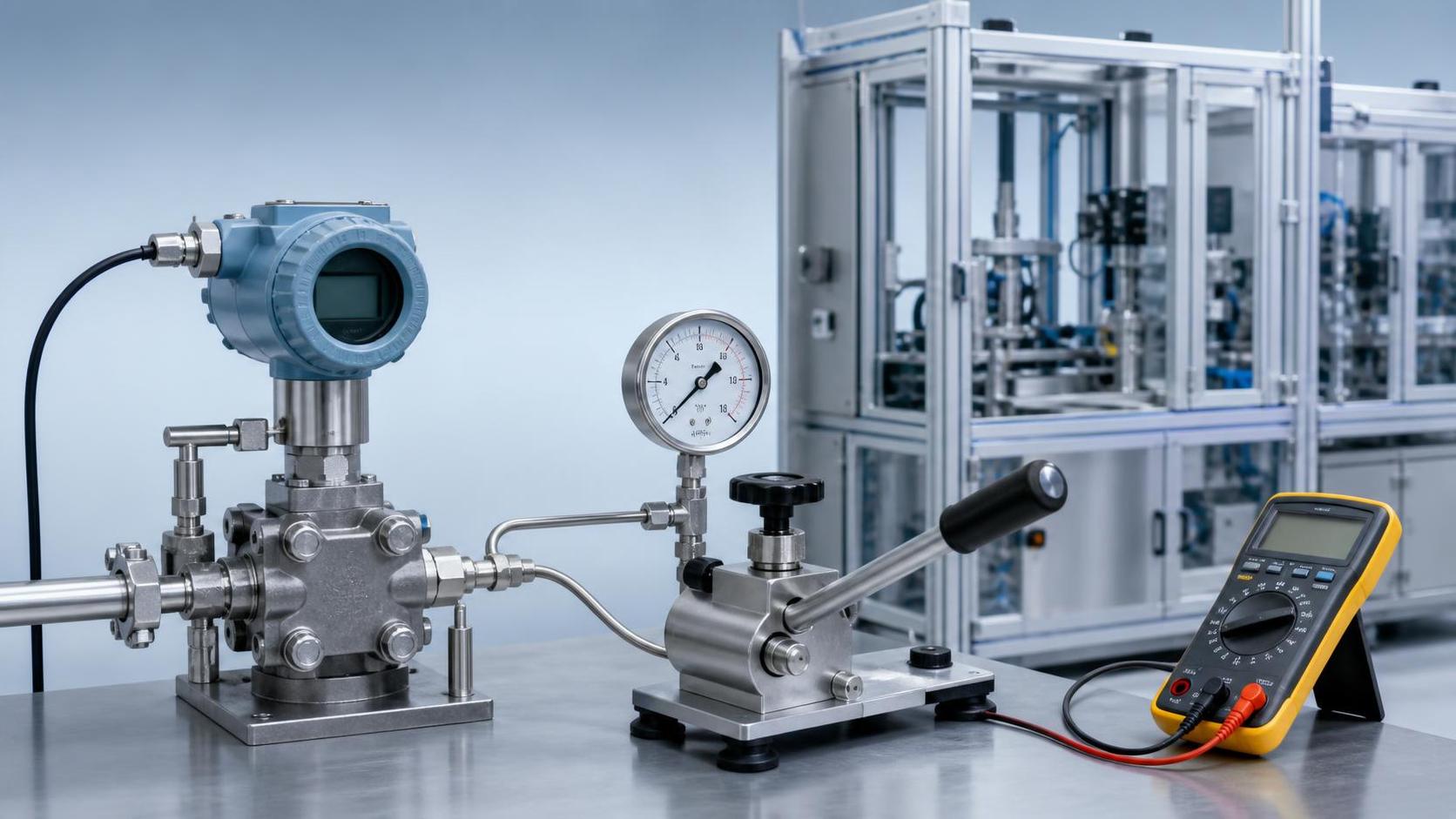
What to do if your pressure transmitter displays an abnormal LCD screen? The first step is recommended to use a multimeter to test the power supply, rather than replacing parts. Most pressure transmitters use a two-wire 4~20mA circuit; when the power supply is abnormal, the LCD display is usually the first thing to show as a problem.
Pay close attention to three things: whether the power supply voltage is stable, whether the positive and negative terminals are reversed, and whether the wiring terminals are oxidized or loose. If a 24V DC power supply is used on site, but the actual measured voltage at the terminals is lower than the equipment's startup requirements, the screen may intermittently light up and off, or the numbers may flicker after power-on.
- Check if the power module output is stable and rule out excessive power ripple.
- Check the grounding method of the signal line shielding layer to avoid interference from multiple grounding points.
- Check the junction box for water ingress, terminal corrosion, and loose wire connections.
- Check the total load of the circuit and confirm that it does not exceed the allowable range.
If the device has HART communication capabilities, it can also synchronously read online status. Some intelligent models provide diagnostic prompts on the communication side before displaying any abnormalities. Intelligent products like the domestically produced WNK-3051AGP high-precision intelligent differential pressure transmitter support both local and remote calibration, making it more convenient to troubleshoot loop problems.
Displays that are not lit, have missing segments, or are blacked out usually need to be addressed separately.
Many people ask how to solve the problem of abnormal display on an LCD pressure transmitter. Actually, "not being able to see clearly" is not a single fault, but rather several different issues. Inaccurate diagnosis can easily lead to incorrect troubleshooting.
1. Not displayed at all
First, test the power supply, then check the internal wiring and display module interface. If the circuit is normal and the output current is normal, but the LCD displays nothing, the problem is likely with the display board, power board, or poor interface contact. Try disconnecting and reconnecting the power to see if the problem is resolved.
2. Displays missing strokes or partial garbled characters.
This type of situation is commonly caused by LCD screen aging, unstable conductive adhesive contact, or loosening of connections due to prolonged vibration. If the equipment operates in high humidity, high temperature, and strong vibration environments for extended periods, the lifespan of the display module will be significantly shortened.
3. Screen goes black, slow response.
A more obvious sign is an excessively high ambient temperature. LCDs slow down at low temperatures and may appear black or have abnormal contrast at high temperatures. In such cases, a comprehensive assessment should be made considering the ambient temperature, sunlight exposure, and the cabinet's heat dissipation conditions. It is not recommended to replace the screen without checking the environmental factors.
Random numerical values or distorted displays are mostly related to interference or parameters.
If it's not a black screen, but rather the data display fluctuates wildly and is inconsistent with the operating conditions, then we need to return to another question: how to resolve abnormal display of a pressure transmitter on an LCD screen? At this point, the focus is no longer on the screen, but on signal quality and parameter settings.
First, check if there are any sources of interference on site, such as frequency converters, high-power motors, or parallel high-voltage cables. Electromagnetic interference can cause display values to fluctuate, especially when the cables are long or the shielding is not properly applied. Second, check the damping settings; insufficient damping can also amplify display fluctuations.
- Verify that the range setting is consistent with the actual working conditions.
- Verify that the zero-point shift, linear output, or square root output are set correctly.
- Check the damping time constant and increase it appropriately if necessary.
- Verify the displayed units to avoid confusing kPa, MPa, and mmH2O.
This is why intelligent transmitters are more suitable for complex operating conditions. Taking the WNK-3051AGP as an example, its damping is adjustable and it supports digital compensation. When facing power, metallurgy, petrochemical and other fields, it is easier to distinguish between abnormal display and actual pressure fluctuations.
The display appears normal, but the values are incorrect; this is often due to issues with the zero point, installation, or pressure testing.
One of the most easily overlooked situations on-site is that the LCD screen lights up and the interface appears normal, but the values are significantly higher or lower than advertised. In this case, if you ask how to resolve the abnormal display of the LCD pressure transmitter, the answer is no longer to repair the display panel, but to troubleshoot the process measurement chain.
First, perform a zero-point check. If the display does not return to zero under pressure-off conditions, it may be due to zero-point drift or static pressure error introduced by the installation position. This is especially true for differential pressure transmitters; installation at high or low positions, liquid accumulation in the pressure guide line, air blockage, and leaks can all cause the displayed value to be skewed.
If the equipment operates in environments with high humidity, strong vibration, or large temperature differences for extended periods, it's also necessary to consider whether the internal compensation status is abnormal. Products with digital temperature and static pressure compensation capabilities are typically more stable under these conditions, reducing repeated repairs due to "normal display but inaccurate data."
On-site troubleshooting recommendations: Perform the steps in sequence, and avoid repeated disassembly and reassembly.
How to resolve abnormal displays on an LCD pressure transmitter? The truly efficient method is to troubleshoot in a fixed order: first the electrical components, then the wiring, then the parameters, then the process, and only lastly consider replacing the module. This minimizes downtime and reduces the likelihood of incorrect component replacement.
- Step 1: Measure the power supply voltage and circuit current.
- Step 2: Check the wiring polarity, terminals, and shielding grounding.
- Step 3: Check the range, unit, damping, and zero-point parameters.
- Step 4: Inspect the pressure lines, valve assembly, for leaks and blockages.
- Step 5: Confirm the status of the LCD module and motherboard.
For projects requiring a balance of accuracy, stability, and maintenance efficiency, ease of subsequent maintenance should be considered during the selection phase. Xi'an Shenghongchuang Instruments Co., Ltd. has long been engaged in the development and production of pressure, displacement, flow, weighing, force, temperature and humidity, torque, and intelligent digital display control instruments. When facing complex working conditions, they place even greater emphasis on the diagnostic capabilities and long-term stability of their products.
If the site involves multiple measurement needs such as differential pressure, absolute pressure, and liquid level, a comprehensive evaluation can be made based on factors such as measurement range coverage, overload capacity, temperature range, and explosion-proof requirements. For example, intelligent models with a wide measurement range, support for 4~20mA HART overlay, and short startup time are usually more beneficial for subsequent maintenance.
Conclusion: First narrow down the scope, then locate the fault point.
Returning to the core question, how do you resolve abnormal displays on an LCD pressure transmitter? In practice, remember this: first determine if it's a display problem, then determine if it's a measurement problem. Separating these two types of faults will significantly improve troubleshooting efficiency.
Most display anomalies can be identified step-by-step through power supply checks, wiring verification, parameter calibration, environmental confirmation, and module testing. As long as the troubleshooting sequence is correct, many seemingly complex faults are actually not difficult to handle. The next time you encounter an abnormal display from an LCD pressure transmitter, it is recommended to directly follow the steps outlined in this article for a faster recovery of equipment operation.